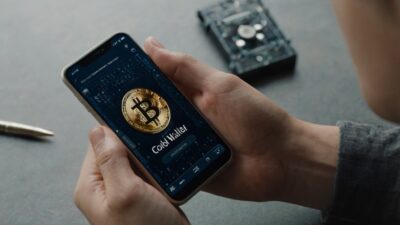

Think twice before you snap that screenshot of your crypto wallet. What feels like a quick way to show proof of funds or flex your gains could open the door to scams, impersonation, or even theft.
In today’s crypto world, wallet screenshots have become a double-edged sword. Scammers can use them to fake legitimacy, lure victims into shady investments, or track your on-chain activity. With the rise of AI-edited images, fake balances, and social engineering tactics, even a single screenshot can compromise your privacy or reputation.
In this blog, we will break down exactly why wallet screenshots are risky, and more importantly, how to protect yourself. From spotting fakes to using safer alternatives, these tips will help you stay secure, smart, and scam-proof in the Web3 space.
Why People Share or Ask for Crypto Wallet Screenshots
People share or request crypto wallet screenshots for various reasons, some of which are harmless, while others are risky or deceptive. Here is a breakdown:
Innocent or Practical Reasons
- Proof of funds: Crypto wallet screenshots are used to demonstrate holdings before transactions, investments, or joining exclusive groups.
- P2P trades: Traders may request screenshots to confirm balances before sending cryptocurrency or fiat.
- Broker or platform “verifications”: Some services ask for screenshots to verify wallet ownership (though this can be risky).
- Tech support: Users share screenshots to troubleshoot wallet issues or transaction errors.
- Social media flexing: People post wallet balances or gains to show off success or attract followers.
Malicious or Risky Reasons
- Scams: Fraudsters pose as brokers or support agents, asking for wallet screenshots to manipulate or exploit users.
- Phishing: Screenshots may reveal wallet addresses, balances, or transaction IDs that scammers use to target victims.
- Fake giveaways or airdrops: Scammers request screenshots to “verify eligibility,” then disappear or steal the funds.
- Impersonation: Crypto wallet screenshots can be doctored and reused to fake wealth or credibility.
Safety Tips
- Never share screenshots of your cryptocurrency wallet publicly.
- Blur sensitive info like wallet address, balances, and transaction IDs if you have to share the screenshots.
- Use trusted platforms with escrow for P2P trades.
- Be skeptical of anyone asking for screenshots “to verify” something.
The Dangers of Taking or Sharing Wallet Screenshots You Should Know
Taking a screenshot of your crypto wallet might seem like a harmless way to show proof of funds or troubleshoot an issue, but it can open the door to serious security threats. Here is why you should think twice before hitting that screenshot button.
Exposing Sensitive Wallet Information
Wallet screenshots often contain more than just your balance. They can reveal wallet addresses, QR codes, transaction hashes, and even token balances. These details are publicly available on blockchains, allowing anyone to track your activity, estimate your net worth, or link your identity to specific transactions.
Even partial screenshots can leak enough data for someone to track your wallet or target you with scams. In some cases, showing a QR code or address can lead to spoofed transactions or dusting attacks.
How Scammers Target You Through Screenshots
Once a scammer sees a screenshot of your wallet, especially one that shows a high balance, you become a prime target for scams. They may impersonate support agents, brokers, or even friends to trick you into revealing private keys or sending funds.
Screenshots are also used in social engineering attacks, where scammers build trust by referencing your wallet activity or mimicking your communication style. In peer-to-peer (P2P) trades, a scammer might use your screenshot to convince others they’re legit, putting your reputation and funds at risk.
How Scammers Fake Crypto Wallet Screenshots
Not all crypto wallet screenshots are real, and that is part of the problem. Scammers frequently use Photoshop or AI tools to create fake wallet screenshots showing massive balances or successful transactions. These are used to lure victims into “investment opportunities,” fake airdrops, or recovery scams, where they claim they can retrieve lost funds for a fee. Because wallet UIs are easy to replicate, even experienced users can be fooled if they don’t verify on-chain data.
Metadata and Cloud Storage Risks You Might Miss
Even if you don’t share your screenshot publicly, storing it on your phone or cloud service can still be risky. Screenshots often contain metadata, such as timestamps, device information, and even location data, which can be exploited if your device or cloud account is compromised. If your phone is lost, hacked, or synced to an insecure cloud platform, attackers could access your screenshots and use them to piece together your crypto activity or identity.
Real Examples of Crypto Wallet Screenshot Scams Work
Crypto wallet screenshot scams often look convincing but are designed to manipulate trust and steal funds. Here are real-world examples and key lessons to protect yourself.
- Fake Broker Schemes: A scammer posing as a crypto broker on Instagram sent a screenshot showing a $100K wallet balance to lure victims into a “managed investment” deal. The image was later found to be edited as the wallet UI didn’t match the platform, and the transaction history was inconsistent. Victims sent funds expecting high returns, but the broker vanished. Never trust screenshots as proof of legitimacy. Always verify wallet activity on-chain using a block explorer.
- Telegram/WhatsApp Investment Traps: In Telegram groups, scammers often post screenshots of “successful withdrawals” from fake platforms. One victim joined a WhatsApp group where members shared screenshots of growing balances and claimed to earn daily profits. After depositing $500, the victim was asked for more to “unlock withdrawals.” The wallet screenshots were fabricated using template apps. Avoid investment groups that rely on screenshots instead of transparent, verifiable platforms. If it looks too good to be true, it probably is.
- Fake NFT or DeFi Verifications: A scammer impersonated an NFT project admin and requested wallet screenshots to “verify eligibility” for a whitelist. The victim shared a screenshot showing their holdings, which included rare NFTs. The scammer later used this info to impersonate the victim and trick others into sending ETH for fake NFT drops. Never share wallet screenshots in public or semi-private channels. Use official verification methods only.
Always remember that crypto wallet screenshots can be faked or misused. Always verify claims on-chain and never share wallet screenshots unless necessary. Ensure that you blur any sensitive information in the screenshot.
How to Tell If a Crypto Wallet Screenshot Is Fake (or Edited)
Spotting a fake crypto wallet screenshot can protect you from scams and misinformation. Here is how to identify red flags and verify authenticity:
- Mismatched Fonts & UI Elements: Scammers often use editing tools or templates that don’t match the real wallet interface. Look for inconsistent fonts or spacing, misaligned buttons or icons, incorrect color schemes, or outdated layouts. Compare the screenshot with the official wallet app or website to spot discrepancies.
- Unrealistic Balances or Token List: If a crypto wallet screenshot shows unusually high balances, such as millions in obscure tokens, be skeptical. Scammers often add fake tokens with inflated values, display balances in volatile coins without context, and use wallet UIs that allow manual token entry. Verify the token legitimacy on CoinGecko or Etherscan before trusting the balance.
- Incorrect Network or Chain Details: Wallets display the active blockchain network, such as Ethereum, BNB Chain, and Polygon. Fake screenshots may show tokens that don’t exist on the selected network, mix incompatible assets, such as Solana NFTs in a MetaMask wallet, and use wrong chain logos or names. Always verify if the assets match the network shown.
- Time Zone & Timestamp Inconsistencies: Examine the transaction timestamps in the crypto wallet screenshot. If they don’t match the user’s claimed location, show future or impossible times, and lack proper formatting, then they are likely edited. Real wallets adhere to consistent time formats, depending on the device or blockchain settings.
Use the reverse image search and upload the screenshot to tools like Google Images to check if it has been reused or stolen. On a desktop, right-click the image and select “View Properties.” Look for creation date, device info, or editing software tags. Request the wallet address and verify balances or transactions using a block explorer, such as Etherscan or Solscan, to protect yourself from doctored screenshots. If someone’s credibility or offer hinges on a wallet screenshot, verify it independently. Screenshots are easy to fake, but blockchain data isn’t.
Best Practices for Protecting Your Crypto Wallet
Protecting your crypto wallet isn’t just about strong passwords; it is about smart habits. Here are essential best practices to keep your assets safe and your privacy intact:
- Avoid Sharing Balances or QR Codes: Never post wallet screenshots, balances, or QR codes online, even in private groups. These can expose your holdings, attract scammers, or be used in phishing and impersonation attacks.
- Use Separate Public Addresses: Create dedicated wallet addresses for different purposes, such as trading, NFTs, DeFi, or donations. This limits traceability and protects your main holdings from being linked to public activity.
- Enable Two-Factor Authentication (2FA): Always activate 2FA on exchanges, wallet apps, and email accounts tied to your crypto. Use an authenticator app, such as Google Authenticator or Authy, not SMS, for enhanced protection.
- Use Hardware Wallets: Keep significant holdings in cold storage using hardware wallets like Ledger or Trezor. These devices store your private keys offline, making them immune to most hacks and malware.
- Keep Wallet Apps Updated: Regularly update your wallet apps, browser extensions, and mobile OS. Updates patch security vulnerabilities and improves compatibility with new blockchain features.
Always use strong, unique passwords and a password manager. Back up your seed phrase offline and never store it in cloud notes or screenshots. Be cautious with browser extensions and decentralized applications (DApps), and always verify URLs and permissions.
Legal and Ethical Risks of Sharing Fake Wallet Screenshots
Creating or sharing fake crypto wallet screenshots, especially to deceive others, carries serious legal and ethical consequences. What may seem like a harmless flex or marketing tactic can cross into fraud and misrepresentation.
In many jurisdictions, using fake wallet screenshots to sell tokens or NFTs under false pretenses, solicit investments or donations, and claim eligibility for airdrops or rewards is considered fraud, false advertising, or financial misrepresentation. These offenses may lead to civil lawsuits from victims, criminal charges for wire fraud or securities violations, and regulatory penalties from financial authorities. Even if no money changes hands, intent to deceive can trigger legal scrutiny, especially in regulated markets.
Crypto platforms, exchanges, and communities often ban users who share fake screenshots. This includes Telegram/Discord groups, NFT marketplaces, DeFi forums, and DAOs. Once exposed, the damage to your reputation can be irreversible. Trust is everything in crypto, and faking wallet data destroys it.
Faking wallet screenshots undermines transparency and misleads others. It can pressure users into unsafe investments, inflate hype around projects or tokens, and exploit beginner traders or community members. Crypto thrives on verifiable, on-chain truth, not manipulated images.
Safer Alternatives to Screenshots
Sharing crypto wallet screenshots can expose sensitive data and invite scams. Here are safer, smarter alternatives for common use cases:
- Proof of Funds or Ownership: Utilize block explorers, such as Etherscan or Solscan, to share your wallet address and allow others to verify balances or transactions directly on-chain. Generate a signed message. Use your wallet to sign a message that proves ownership without revealing your balances. Portfolio tracking tools like Zapper or DeBank let you share read-only views of your holdings.
- P2P Trades & Verifications: Utilize trusted P2P platforms with built-in escrow and dispute resolution mechanisms, such as Binance P2P and LocalBitcoins. Share your wallet address and ask the counterparty to verify activity in real time via a block explorer. If trust is high, walk through your wallet live (without showing sensitive info) during a call.
- Community or Social Proof: On-chain badges or POAPs: Use Proof of Attendance Protocol (POAP) or NFT badges to show participation or achievements. Share direct links to your wallet’s transaction history instead of screenshots. Utilize analytics dashboards, such as Dune Analytics or Nansen, which offer public dashboards for wallet activity.
Always blur or redact sensitive info if you must share a screenshot. Prefer verifiable, on-chain data over images and educate your community about safer verification methods.
Should You Ever Share Your Wallet Screenshot?
In most cases, the answer is no. Sharing a screenshot of your crypto wallet is rarely worth the risk. Whether you are trying to prove funds, flex gains, or troubleshoot an issue, there are safer, more transparent alternatives that don’t expose your privacy or invite scams.
Screenshots can leak wallet addresses, balances, QR codes, and even metadata. Worse, they are easy to fake and misuse, making them unreliable for verification and potentially damaging to reputation. In crypto, on-chain truth always prevails over off-chain images. If you are serious about protecting your assets and building trust in this space, it’s time to elevate your habits.
Want to learn safer ways to verify wallets, trade P2P, or build trust in your crypto community? Join Dypto-Crypto, a global hub for real reviews, insights, and education. We help users like you stay secure, informed, and ahead of the curve. Sign up today and start trading smarter.
FAQs (Frequently Asked Questions)
Q: Is it safe to send a screenshot of my crypto balance to customer support?
A: It is generally not safe to send a screenshot of your crypto balance unless you’re dealing with official, verified support, and even then, be cautious. Screenshots can expose wallet addresses, balances, QR codes, and transaction IDs that scammers could exploit. Always blur sensitive information and avoid sharing screenshots over unsecured channels, such as email or chat apps. When in doubt, ask if a safer verification method is available, such as signing a message or sharing a transaction hash.
Q: Can exchanges or wallets ever legitimately request a screenshot?
A: Yes, legitimate exchanges or wallet providers may occasionally request a screenshot, usually for support cases like transaction errors or UI bugs. However, this should only happen through official support channels, never via DMs or unverified emails. Even then, blur sensitive info like wallet addresses, balances, and QR codes before sharing.
Q: What information in a wallet screenshot can put me at risk?
A: A wallet screenshot can expose your wallet address, QR code, token balances, and transaction IDs, all of which can be traced on-chain. Scammers may use this data to monitor your activity, impersonate you, or target you with phishing attacks. Even metadata, such as timestamps or device information, can be exploited if the image is stored insecurely.
Q: How do I safely prove I own a crypto wallet without screenshots?
A: You can safely prove wallet ownership by signing a message with your wallet, a cryptographic method that confirms control without revealing balances. Alternatively, share your wallet address and let others verify activity via a block explorer like Etherscan. Some platforms also support read-only portfolio links (such as Zapper and DeBank). These methods are secure, verifiable, and don’t expose sensitive data like screenshots do.
Q: What should I do if someone posts my wallet screenshot online?
A: If someone posts your wallet screenshot online, act quickly. First, report the post to the platform to have it removed. Then, monitor your wallet activity for suspicious behavior and consider moving funds to a new address if sensitive info was exposed. Avoid engaging with the poster directly, as it could escalate or be part of a scam. Finally, review your device and cloud security to prevent future leaks.
Disclaimer
This article is for educational and information purposes, and should not be considered financial advice. For more information visit our disclaimer page
About the Author