
Choosing the right Solana wallet can make or break your crypto experience. Whether you are staking SOL, trading memecoins, collecting NFTs, or exploring DeFi, you need a wallet that delivers on security without sacrificing speed or usability.
Solana processes over 65,000 transactions per second with fees averaging $0.00025. To tap into this speed, you need a wallet designed for Solana’s unique architecture. This guide breaks down the eight best Solana wallets in 2026, from beginner-friendly mobile apps to hardcore cold storage solutions.
Why Go For a Solana-Specific Wallet?
While multi-chain wallets offer convenience, Solana-specific wallets deliver a significantly better experience. They are built from the ground up to handle Solana’s Proof of History consensus and blazing transaction speeds.
Native Solana wallets integrate seamlessly with top dApps like Jupiter, Raydium, and Magic Eden. You get one-click access to DEXs, NFT marketplaces, and staking validators. These wallets also display SPL tokens and NFTs correctly, with proper metadata, and understand Solana’s fee structure to prevent overpayments or failed transactions.
8 Best Solana Wallets to Consider in 2026
The Solana ecosystem has exploded in 2026, and wallet options have multiplied. After researching and analyzing dozens of wallets, we narrowed it down to the eight that consistently deliver on security, performance, and usability.
Each wallet serves a different purpose. Some prioritize beginner-friendliness with simple interfaces, while others pack advanced features for power users. Hardware wallets offer maximum security at the cost of convenience, while mobile wallets keep you connected to fast-moving markets.
Pay attention to what you actually need before making your choice. A memecoin trader has completely different requirements than someone staking SOL for passive income or collecting NFTs.
Here is a quick overview of what we will cover:
| Wallet | Type | Pricing | Best For |
| Phantom | Software | Free | Beginners and mobile users |
| Solflare | Software | Free | Power users and stakers |
| Ledger Nano X/S Plus | Hardware | $79-$149 | Long-term holders |
| Backpack | Software | Free | NFT collectors and xNFT users |
| Exodus | Software | Free | Multi-chain portfolio management |
| Jupiter Mobile | Mobile | Free | Fast DeFi trading |
| Glow Wallet | Mobile | Free | iOS users and NFT enthusiasts |
| Trust Wallet | Software | Free | Beginners seeking multi-asset support |
1. Phantom
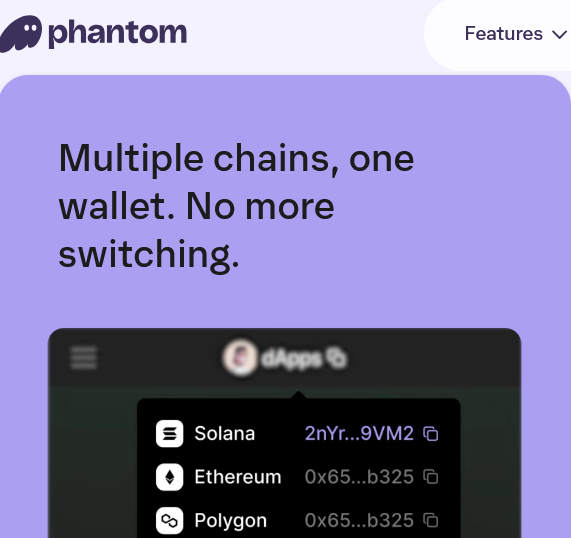
Phantom has become the default Solana wallet for millions, serving over 15 million users with more than $150 million in funding. It is the most polished wallet in the ecosystem.
Type: Software (Browser extension and mobile app)
Key Strengths: Phantom’s dead-simple interface feels instantly familiar to anyone who has used MetaMask. The wallet handles sending and receiving SOL and SPL tokens, swapping assets, staking, and managing NFTs seamlessly.
The built-in swap aggregator searches multiple DEXs automatically for the best prices. No need to manually check Jupiter, Raydium, or Orca. Token Pages shows trending tokens within the community, helping you spot emerging projects before they explode. Multi-chain support includes Bitcoin, Ethereum, Base, and Sui.
Security: Non-custodial with scam detection that flags suspicious transactions before you approve them. Ledger hardware wallet integration is available for an extra security layer. Your seed phrase never leaves your device, and Phantom does not collect personal information.
Speed & Performance: Transactions confirm almost instantly with optimized validator connections. The wallet handles high-volume trading during memecoin frenzies without lagging.
Best For: Beginners wanting a polished experience and mobile-first users who need quality on both platforms.
2. Solflare
Solflare launched as the first dedicated Solana wallet and remains the choice for serious users who want maximum functionality. With over 4 million users managing $20+ billion in assets, it is battle-tested and reliable.
Type: Software (Browser extension, mobile app, web wallet)
Key Strengths: Native staking with any Solana validator you choose, not just the wallet’s own validator. The team runs one of Solana’s largest validators, so they understand the network deeply.
Recently launched Solflare Shield, a $49 card-shaped hardware wallet using NFC tap-to-sign. It does not require cables, screens, or charging. You just tap it to your phone to approve transactions while keeping your keys in cold storage. Created a MetaMask Snap for Ethereum users to access Solana dApps without switching wallets.
Security: Zero security breaches since launch. Offers 24/7 human support via live chat. Ledger and Keystone hardware wallet integration. Solflare Shield offers EAL6+ certification, making it one of the most secure and affordable options.
Speed & Performance: Blazing fast with direct connection to their own nodes and validators. You get network access without relying on third-party infrastructure.
Best For: Advanced users wanting comprehensive features and native staking control. Perfect for anyone managing significant SOL holdings who wants professional-grade tools.
3. Ledger Nano X/S Plus
Ledger remains the gold standard for hardware wallets, with both models offering excellent Solana support trusted by millions worldwide.
Type: Hardware wallet | Pricing: Nano S Plus ($79), Nano X ($149)
Key Strengths: Hardware wallets store your private keys on a physical device that never connects to the internet. Even if your computer gets infected with malware, your Solana stays safe.
The Nano X supports Bluetooth for smartphone management via the Ledger Live mobile app. Both devices support 5,500+ cryptocurrencies, including SOL and all SPL tokens. Install up to 100 blockchain apps simultaneously, making them ideal for multi-chain users.
Integrates seamlessly with Phantom and Solflare. Connect your hardware wallet to these software wallets, getting their slick interfaces while keeping keys in cold storage.
Security: Private keys are locked inside the CC EAL5+ Secure Element chip and never leave the device. Verify transactions on the device screen to prevent malicious software from tricking you. Bluetooth on Nano X is encrypted and only transmits transaction details for approval, never your private keys.
Speed & Performance: Hardware wallets add friction, requiring physical device connection and approval. But the security trade-off is worth it for significant holdings.
Best For: Anyone holding $5,000+ in SOL or planning long-term HODL. Nano X for mobile-first users, Nano S Plus for desktop-only setups.
4. Backpack
Backpack emerged as the go-to wallet for NFT collectors and users interested in xNFTs (executable NFTs that function like mini-apps inside your wallet).
Type: Software (Browser extension and mobile app)
Key Strengths: NFT collection locking automatically rejects transaction requests for selected collections, preventing the wallet-draining attacks that plague NFT traders. Think of it as an airbag for your NFT portfolio.
Supports xNFTs, which are programs that run inside your wallet. You can trade, game, or interact with DeFi protocols without leaving your wallet interface. Offers bpSOL liquid staking with 0% validator fee. Stake your SOL and receive tokens you can use in DeFi while still earning rewards. Tight integration with Backpack Exchange for seamless centralized and decentralized trading.
Security: Self-custodial with scam protection and NFT locking. No personal data collection. Your recovery phrase stays encrypted on your device.
Speed & Performance: Fast and responsive. The wallet’s two-dimensional account model lets you organize multiple seed phrases and wallets with folders, making it easy to manage different portfolios.
Best For: NFT collectors needing protection against draining attacks. Great for exploring the xNFT ecosystem or using Backpack Exchange regularly.
5. Exodus
Exodus started in 2015 and has evolved into one of the most user-friendly multi-chain wallets, supporting Solana alongside 1,000+ cryptocurrencies.
Type: Software (Desktop and mobile)
Key Strengths: Beautiful interface that looks like a modern fintech app with portfolio performance charts. Built-in exchange for swapping between 1,000+ assets. Updates approximately every two weeks with new features. Responsive customer support via chat and email. Hardware wallet integration with Trezor.
Security: Non-custodial with local key storage. Does not require KYC verification for anonymous use.
Speed & Performance: Solid performance across all platforms. The desktop version feels particularly smooth, with instant portfolio updates and quick transaction confirmations.
Best For: Users managing diverse portfolios across multiple blockchains from one beautiful interface.
6. Jupiter Mobile
Jupiter Mobile comes from the team behind Jupiter Exchange, Solana’s largest DEX aggregator. This mobile-first wallet is built specifically for DeFi trading.
Type: Mobile app (iOS and Android)
Key Strengths: Optimized for fast trading with automatic slippage and fee management. The Scan-to-trade feature finds tokens via the camera or by pasting. Fiat on-ramps via Apple Pay, Google Pay, and credit cards take 50 seconds. Claims trades are 10x cheaper than other wallets.
Security: Self-custodial with standard security features.
Speed & Performance: The fastest trading experience on Solana. If you are actively trading memecoins or DeFi tokens, nothing beats Jupiter Mobile’s execution speed.
Best For: Active traders prioritizing speed. Great for degen traders entering and exiting positions quickly.
7. Glow Wallet
Glow Wallet started as an iOS-first wallet with a dedicated following among iPhone users and NFT enthusiasts.
Type: Mobile app and browser extension
Key Strengths: iOS integration with iCloud backups and Safari mobile integration. NFT gallery display with organization by rarity or value. List NFTs on Magic Eden directly from the wallet. Native staking support is streamlined for beginners.
Security: Open-source codebase for transparency.
Speed & Performance: Smooth and responsive, especially on iOS devices. The wallet handles NFT metadata loading better than most competitors.
Best For: iPhone users wanting a native iOS experience. Great for NFT collectors seeking beautiful display options.
8. Trust Wallet
Trust Wallet has served over 210 million users since 2017, supporting 70+ blockchains, including Solana.
Type: Software (Mobile app and browser extension)
Key Strengths: Clean, beginner-friendly interface with helpful onboarding. Built-in dApp browser on mobile for accessing Web3 apps. Multi-chain support for the entire crypto portfolio. Security Scanner for real-time transaction risk assessment. Staking across multiple networks with 7.5% SOL APY.
Security: Non-custodial with encrypted cloud backup options. Security Scanner provides real-time smart contract risk assessment.
Speed & Performance: Reliable performance across all supported chains. The wallet maintains strong connections to Solana validators for quick confirmations.
Best For: Beginners wanting a trusted name with excellent security. Perfect for multi-chain users.
How to Choose the Right Solana Wallet Based on Your Needs
Picking a wallet is not about finding the “best” option. It is about matching features to your actual usage patterns.
Start with your portfolio size. Holding more than $5,000 in SOL? Hardware wallets like Ledger make sense. For smaller amounts or active trading, software wallets offer better convenience.
Transaction frequency matters. Active traders need wallets like Jupiter Mobile or Phantom that handle rapid-fire transactions smoothly. For buying and holding, Solflare or Trust Wallet provides everything you need.
NFT collectors should prioritize wallets with strong marketplace integration. Backpack, Glow, and Phantom all excel with features like collection locking and gallery displays.
For DeFi and staking, choose wallets that integrate seamlessly with protocols. Solflare gives complete control over validator selection, while Phantom and Trust Wallet simplify the process for beginners.
Think about mobile vs desktop usage. Always on your phone? Jupiter Mobile, Glow, or Phantom mobile works great. Desktop users might prefer Exodus or Solflare browser extensions.
Consider your technical skill level. Beginners can start with Phantom or Trust Wallet. Advanced users will appreciate Solflare’s comprehensive features.
Security Best Practices for Using a Solana Wallet
Even the most secure wallet fails if you make basic security mistakes. Here are essential practices to keep your SOL safe:
- Never share your seed phrase or private keys. Ever. Legitimate support teams never ask for this information. If someone does, it is a scam.
- Store your seed phrase offline in multiple secure locations. Write it on paper or stamp it into metal. Don’t store it in cloud services, email, or phone photos.
- Beware of phishing attacks. Always type wallet URLs directly into your browser or use official app stores. Check URLs carefully before entering information.
- Use a hardware wallet for significant holdings. Software wallets remain vulnerable to malware and keyloggers. Hardware wallets keep keys offline and require physical confirmation.
- Review transactions carefully before approving. Read transaction details, verify the recipient address, and check the amount. Start with small test transactions when sending to new addresses.
- Revoke token allowances regularly. DeFi protocols often require permissions to access your tokens. Periodically revoke unused permissions using tools like revoke.cash.
- Be extra cautious with new or unaudited dApps. Use experimental protocols with a separate wallet containing minimal funds.
- Keep your wallet software up to date to apply security patches. Enable automatic updates or check manually at least monthly.
Final Thoughts
Choosing the right Solana wallet directly impacts your security, daily usability, and long-term success in the ecosystem. Here is what you may want to consider:
- For beginners: Phantom or Trust Wallet offer polished interfaces and helpful guidance that make learning easier while providing room to grow.
- For active traders: Jupiter Mobile or Solflare gives you the speed and advanced tools needed to capitalize on fast-moving opportunities.
- For large holdings: A hardware wallet like Ledger’s Nano X or S Plus could be worth considering. At $79-$149, these devices provide institutional-grade security that software wallets simply cannot match.
- For NFT collectors: Backpack’s specialized features, particularly collection locking, help prevent draining attacks that plague NFT traders.
Now here is something worth remembering: your security habits matter more than which wallet you choose. Even the most secure wallet cannot protect you from phishing attempts or poorly stored seed phrases.
Many experienced users run multiple wallets for different purposes:
- Hardware wallets for long-term holdings
- Mobile wallets for daily trading
- Separate wallets for testing new dApps
This compartmentalization limits potential damage if one wallet gets compromised.
The Solana ecosystem continues evolving at breakneck speed. You may want to stay informed about developments in the wallets you use and remain open to migrating if genuinely better options emerge. Your choice of wallet matters less than choosing one that fits your specific needs, risk tolerance, and actual use case, rather than just picking what is most popular.
Frequently Asked Questions
What is the safest Solana wallet?
Hardware wallets like Ledger Nano X or Solflare Shield offer the highest security by keeping your private keys completely offline. Among software wallets, Phantom and Solflare have the strongest track records with zero security breaches and multiple protective features.
Is a hardware wallet worth it for Solana?
Absolutely, if you are holding more than a few thousand dollars in SOL or planning to HODL long-term. The $79-$149 upfront cost provides peace of mind and protection against malware, phishing, and computer compromises. For smaller amounts or active trading, software wallets offer better convenience.
Can I stake SOL directly from my wallet?
Yes. Phantom, Solflare, Glow, Trust Wallet, and most other major Solana wallets include built-in staking. You select a validator, delegate your SOL, and start earning rewards (typically 7-8% APY). You can unstake anytime, though there is a cooldown period before you can withdraw.
Are Solana wallets free to use?
Software wallets like Phantom, Solflare, Jupiter Mobile, Glow, Exodus, Backpack, and Trust Wallet are completely free to download and use. You only pay Solana network fees for transactions (typically $0.00025 per transaction). Hardware wallets require an upfront device purchase ($79-$149) but have no recurring fees.
Can I use the same Solana wallet on mobile and desktop?
Most major wallets support both platforms. Phantom, Solflare, Exodus, Backpack, and Trust Wallet all offer browser extensions and mobile apps. You can restore your wallet on any device using your seed phrase, giving you seamless access across platforms.
Disclaimer
This article is for educational and information purposes, and should not be considered financial advice. For more information visit our disclaimer page
About the Author